Everything you can do with the app, step by step. Create and share collaborative lists in real time.
Section 1
Sign in & create an account
Sign in with your email, Google or Apple. First time here? Create an account in seconds.
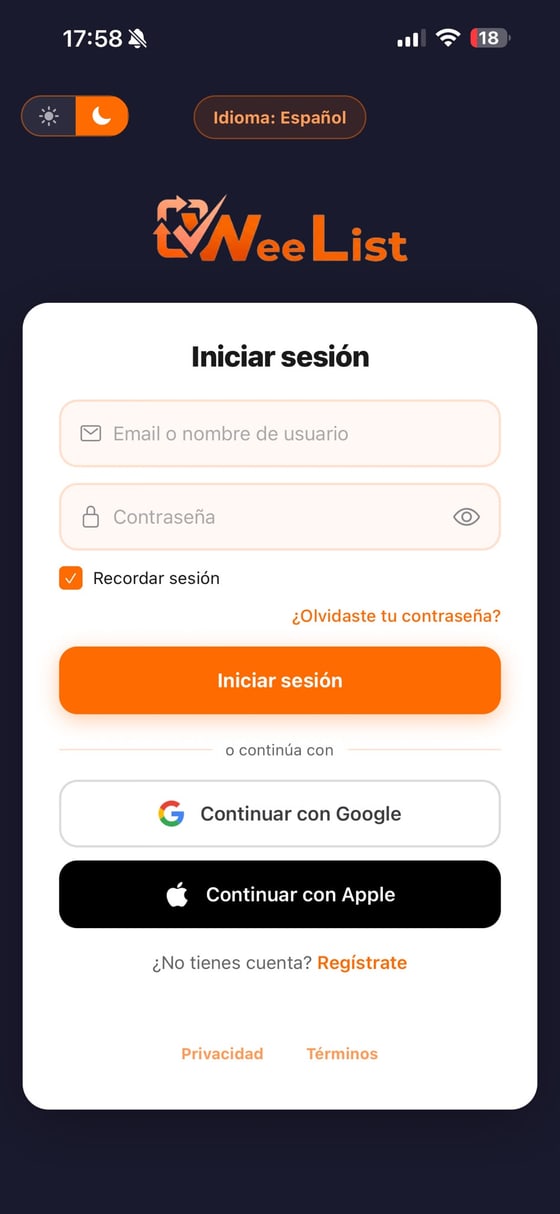
Sign inWith email/username and password, or in one tap with Google or Apple. You can also switch theme and language here.
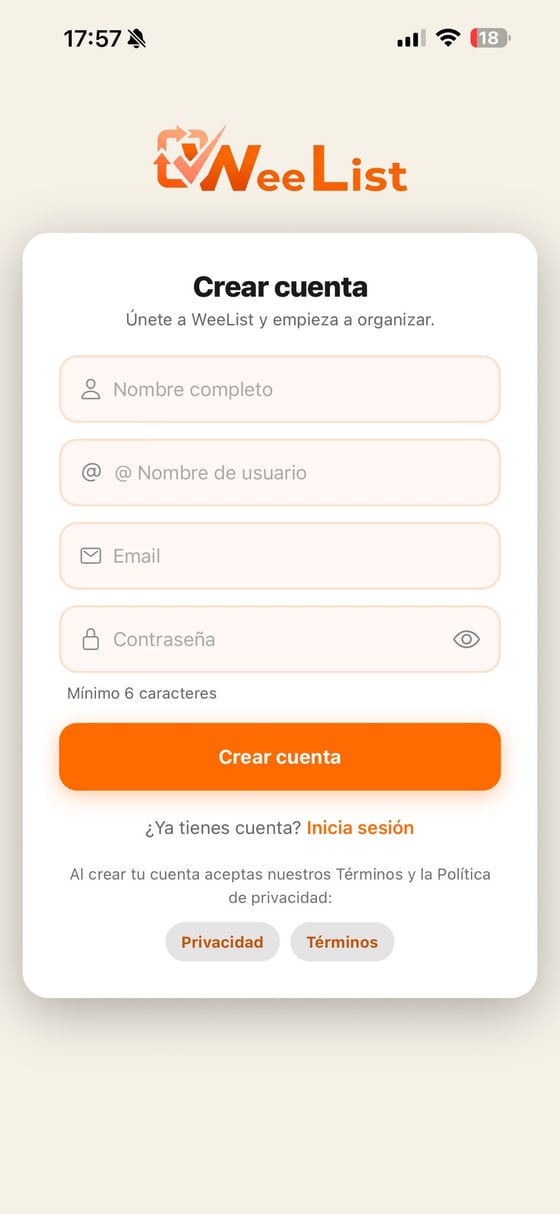
Create accountName, username, email and password. We send you an email to verify the account.
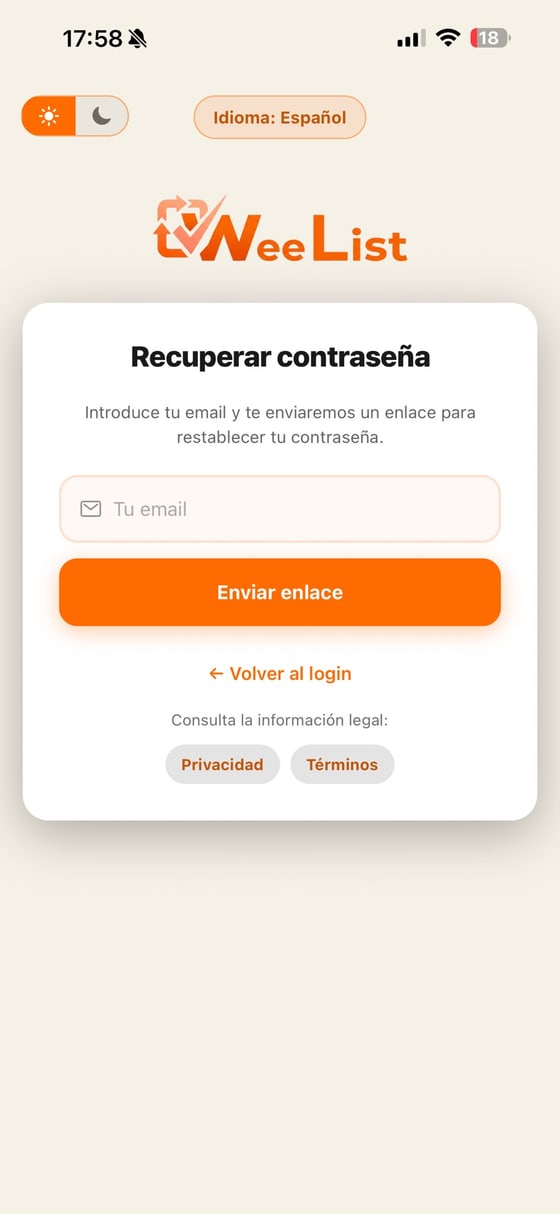
Forgot your password?Enter your email and we send you a link to create a new one.
Section 2
Your home screen
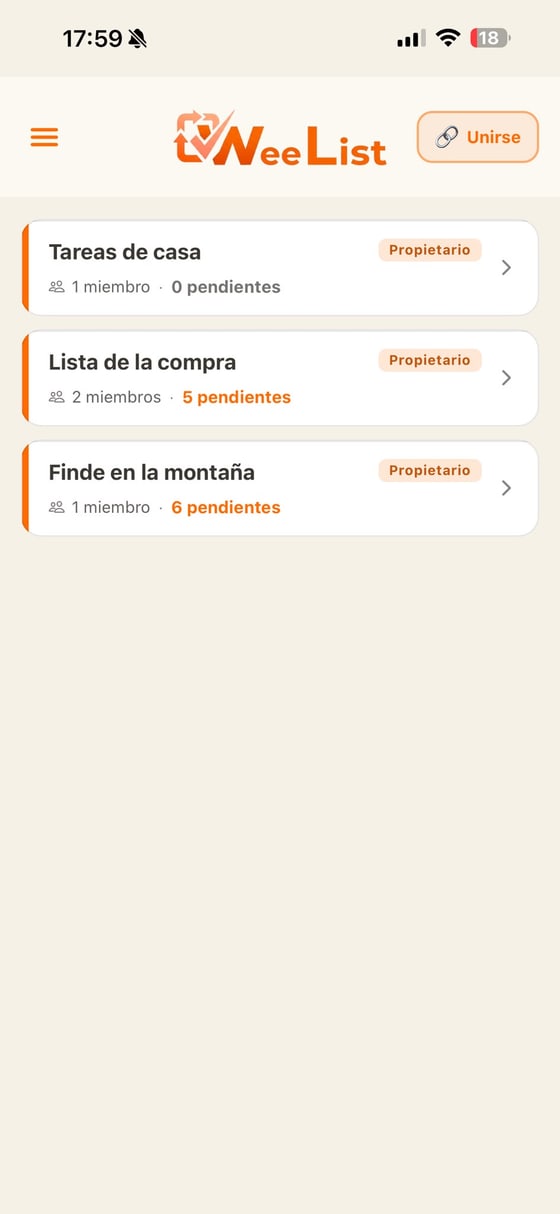
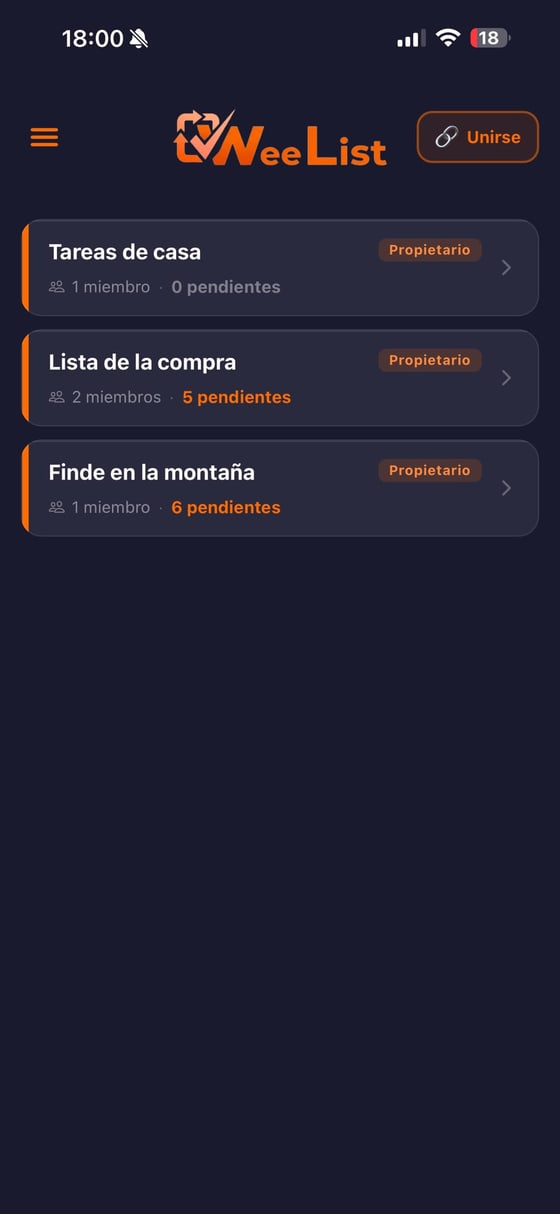
All your lists live here. Each card shows your role, how many people collaborate and how many items are pending. The first time it is empty: you will see “No lists yet” and a button to create the first one. You can also do it from the ☰ menu at the top left.
Your listsTap one to open it, press and hold to reorder, and swipe left to delete it (or leave it if it belongs to someone else).
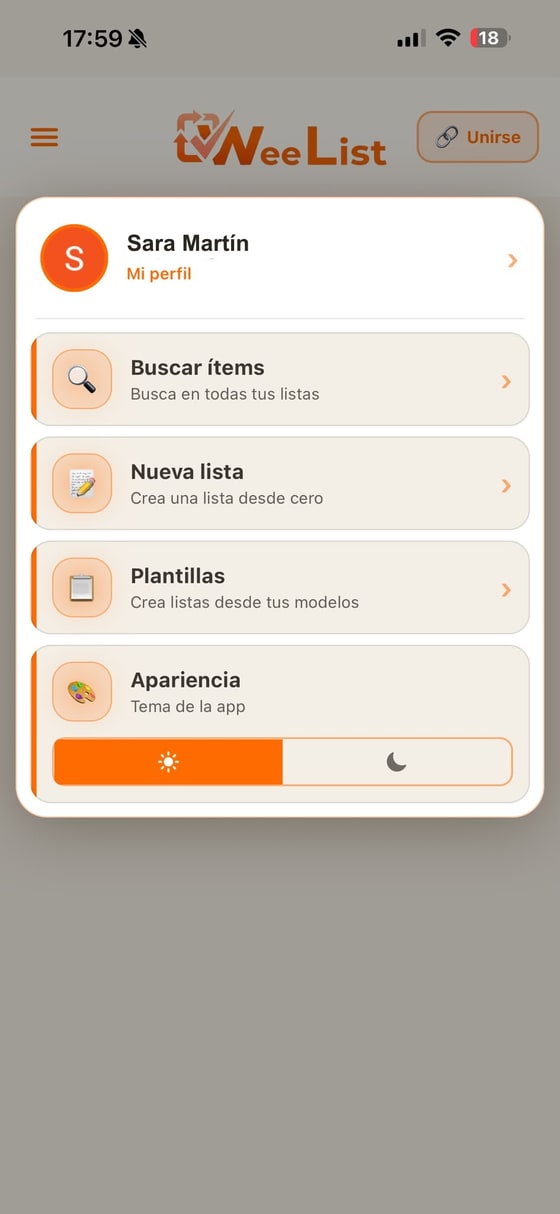
Light or darkThe whole app has light and dark mode. Switch it from the menu or your profile.
Main menu (☰)Your profile, search, new list, templates and the theme — all within reach.
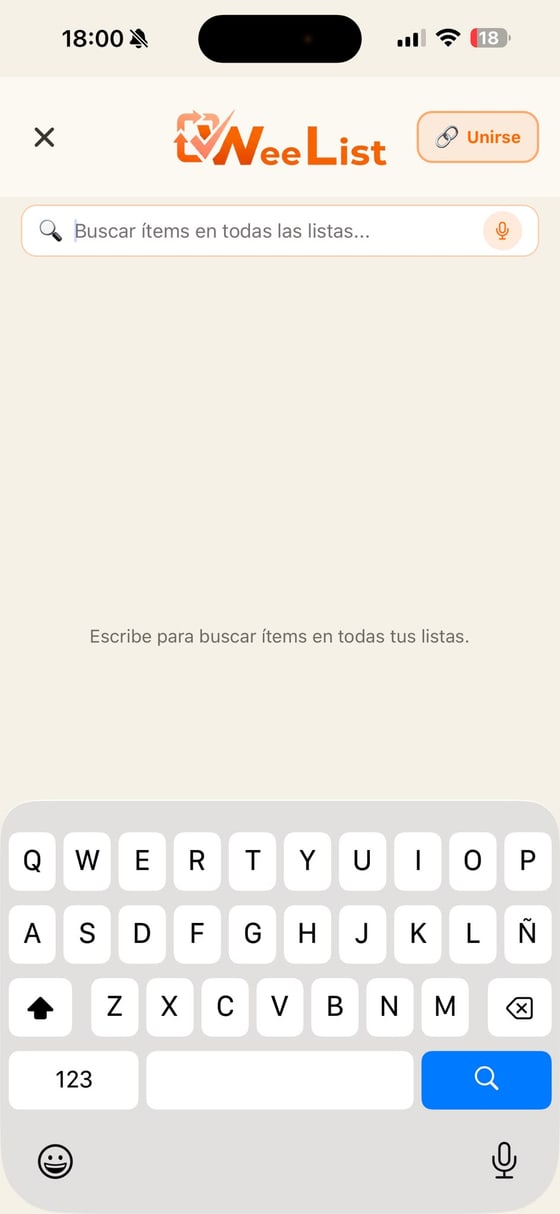
Search everythingFind any item across all your lists. You can dictate it by voice with the microphone.
Section 3
Create and join lists
Create a list from scratch or join someone else’s with a code. Inviting is just as easy.
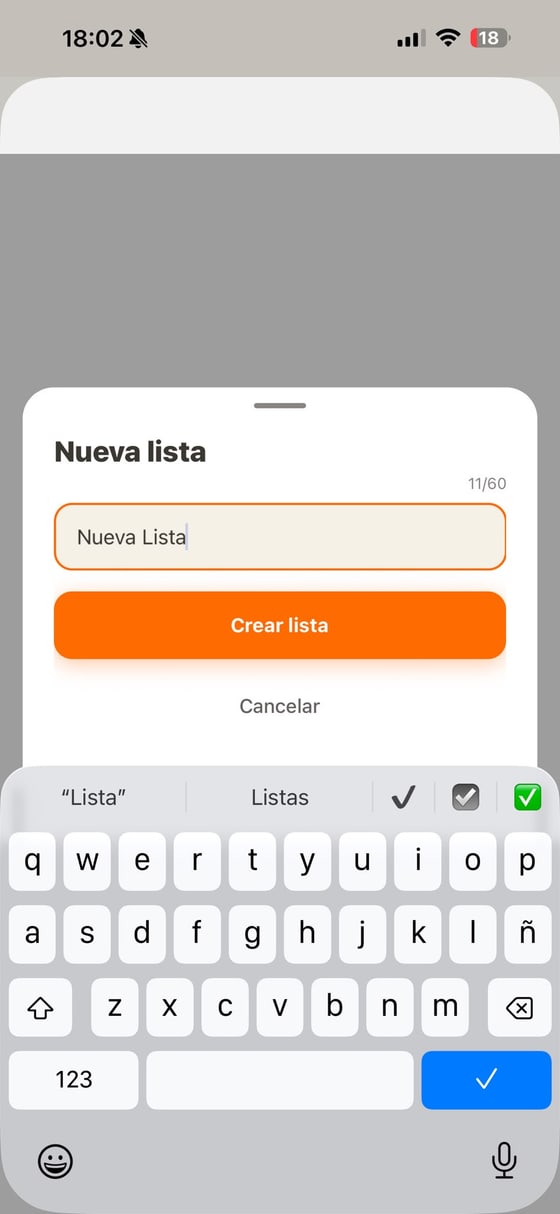
New listGive it a name and you’re ready to start adding things.
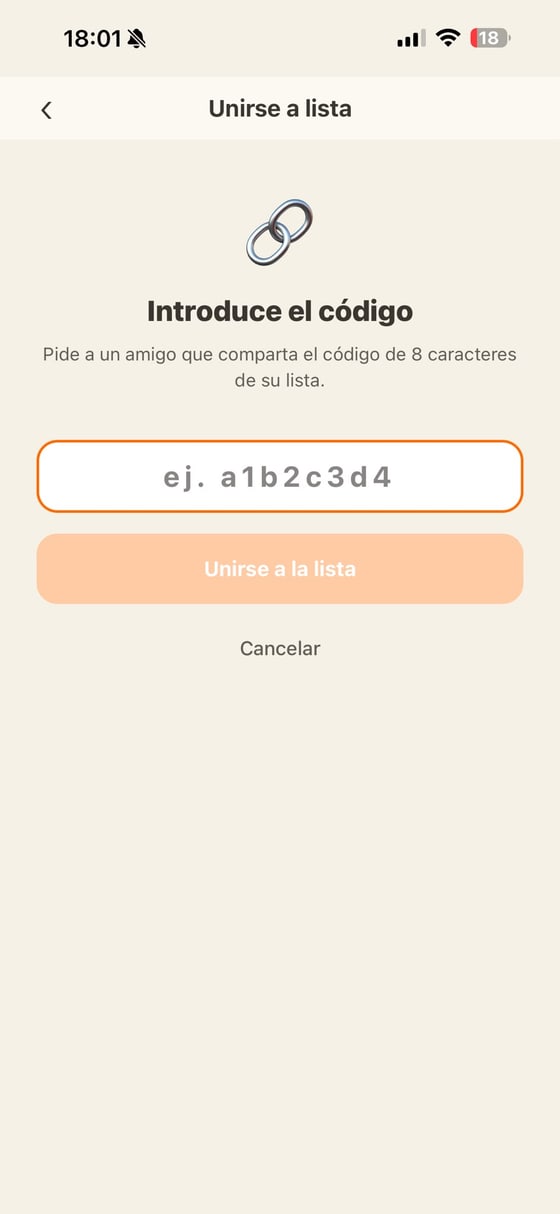
Join with a codePaste the 8-character code that was shared with you.
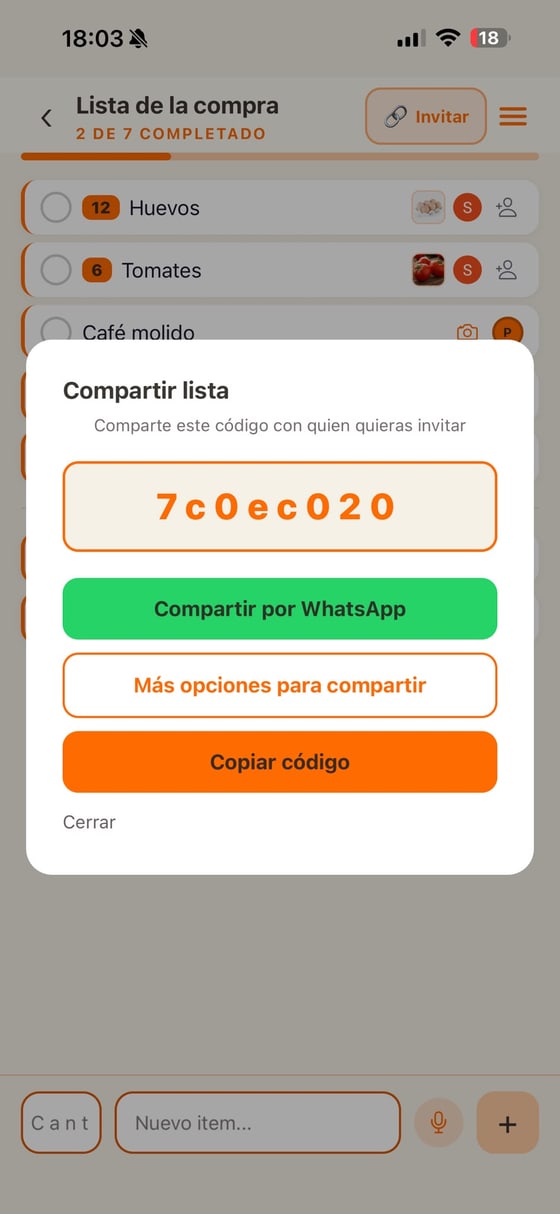
Invite othersShare the code via WhatsApp, copy it or use the share menu.
Section 4
Working with a list
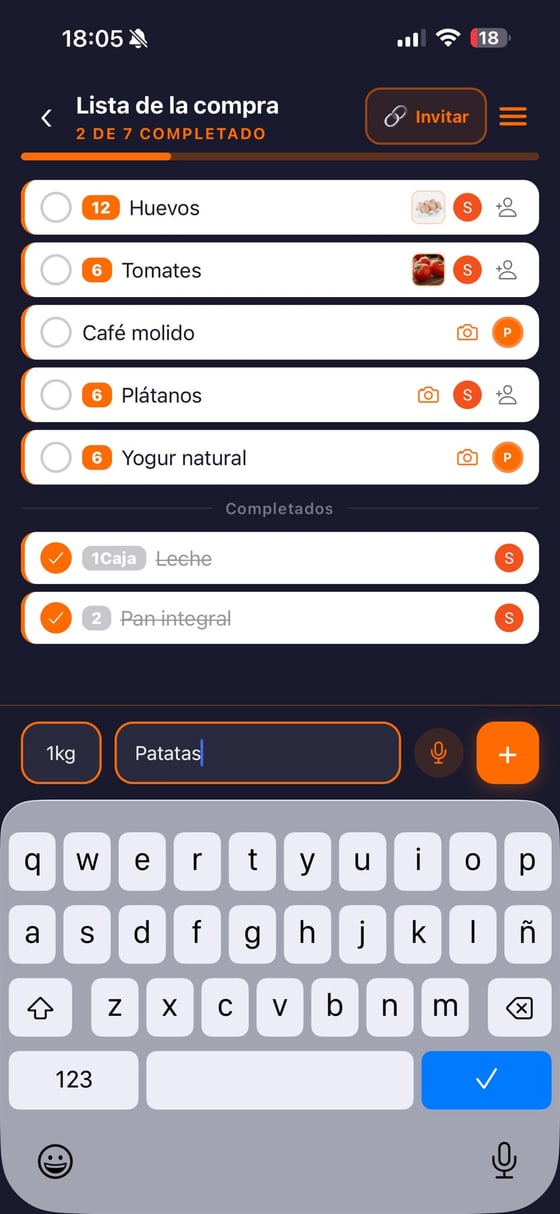
Add items, set a quantity, assign them to someone, attach a photo and check them off when done. Everything syncs instantly for everyone.
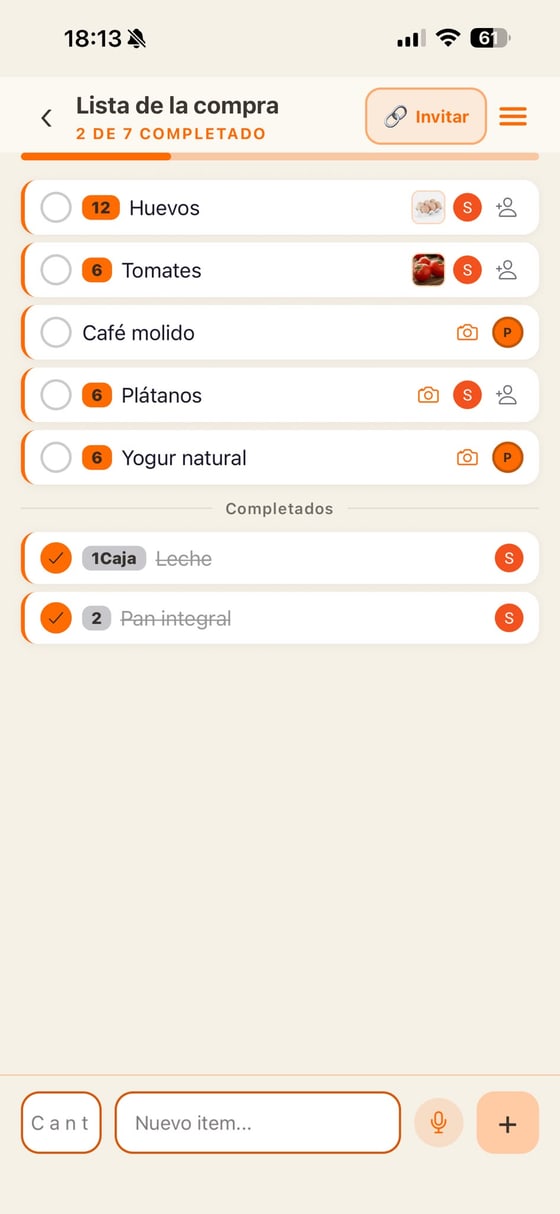
Inside a listYou'll see the progress ("2 of 7 completed") and each item with its quantity, the assigned person and its photo. Tap an item to complete it.
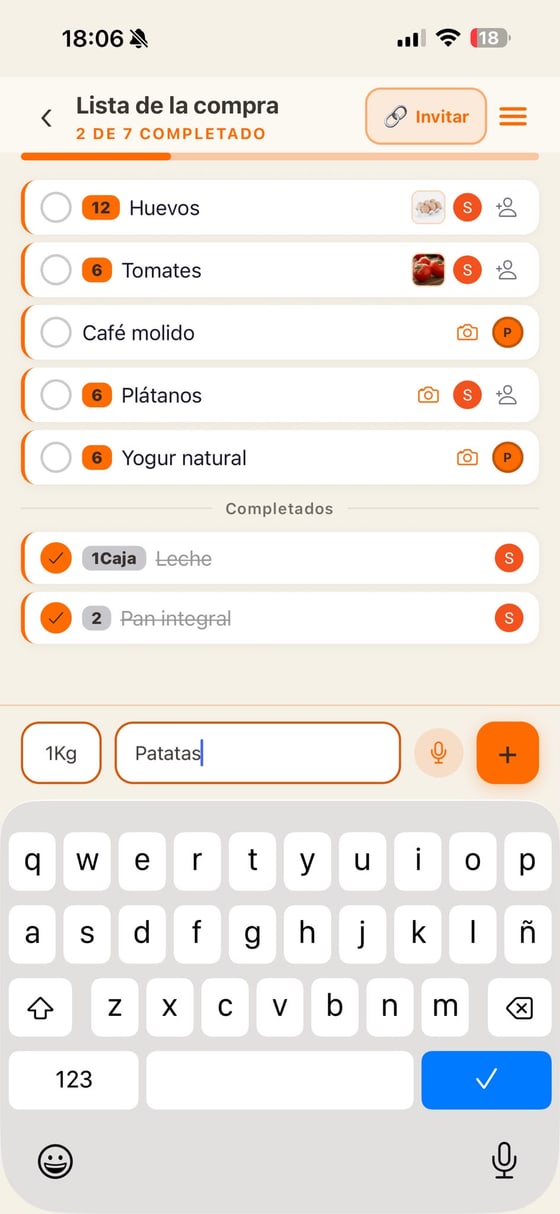
Add an itemType the name and, if you want, the quantity. You can also dictate it by voice 🎤. Type "@" to mention a member.
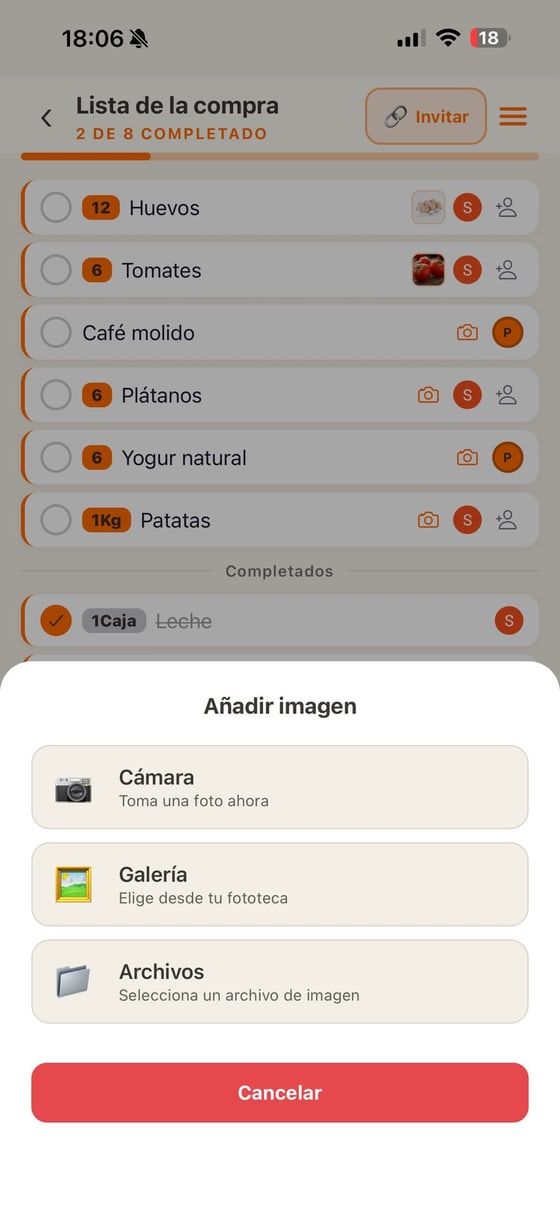
Attach a photoFrom the camera, the gallery or a file.
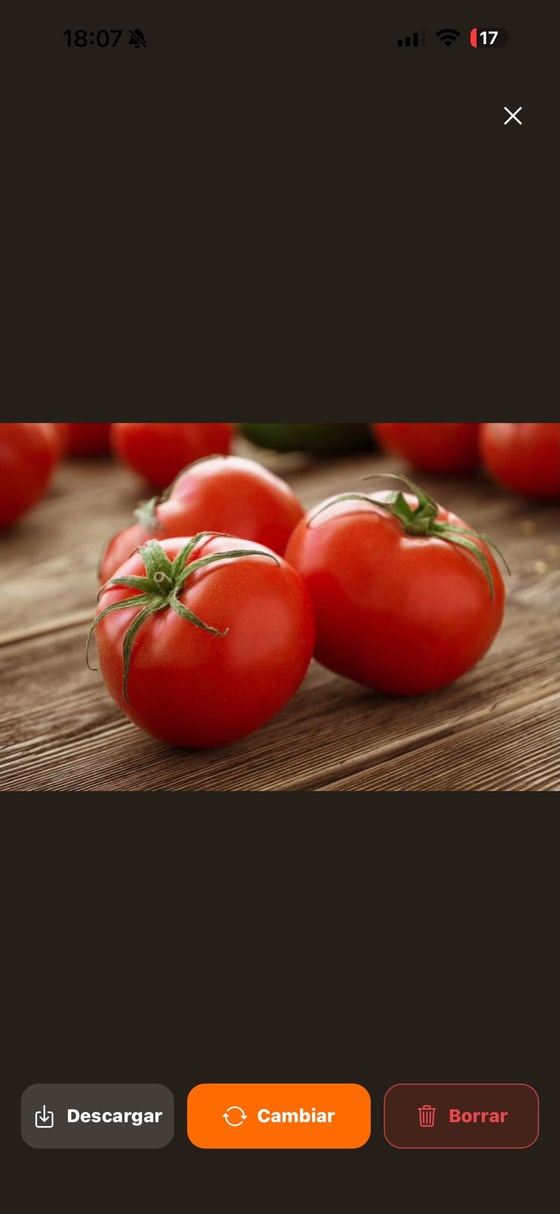
View the imageOpen it to download, change or delete it.
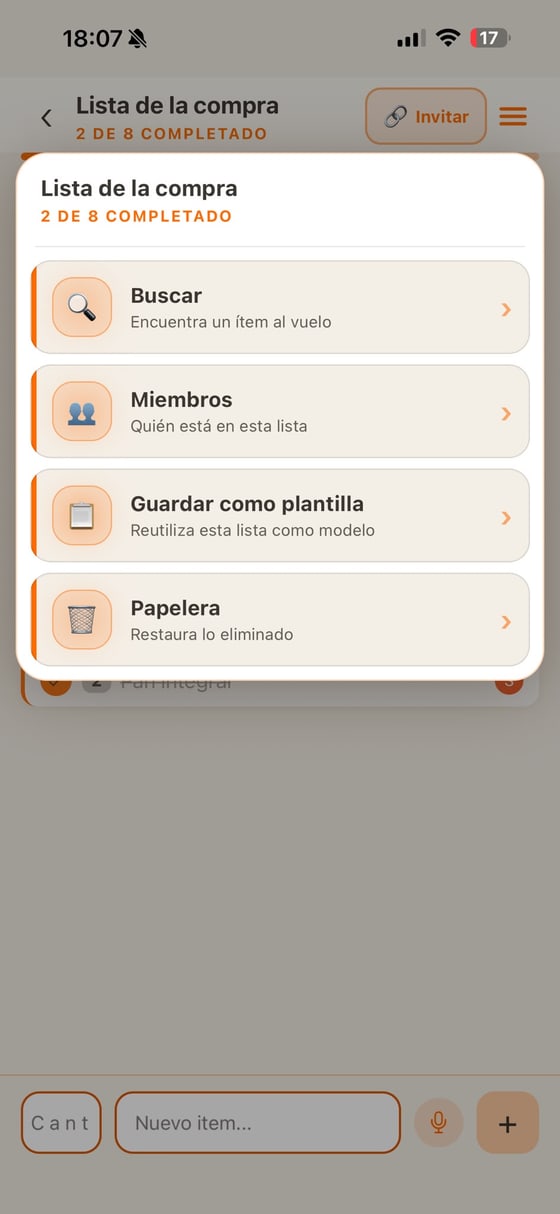
List menu (☰)Search inside, see members, save as a template and open the trash.
Section 5
Trash
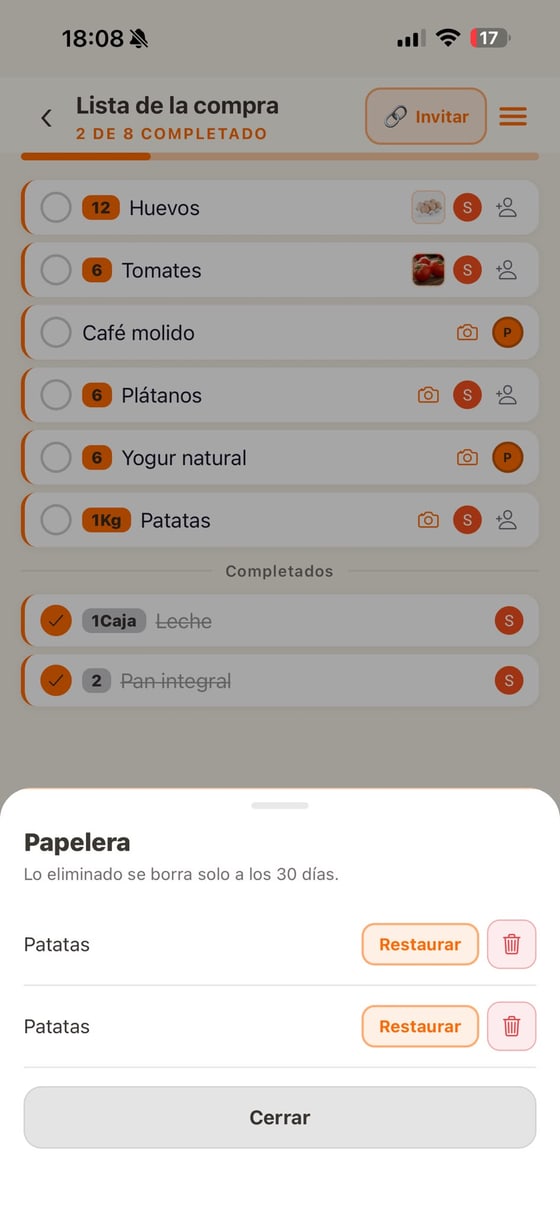
Nothing is lost by accident: whatever you delete goes to the trash and you can restore it. It is removed automatically after 30 days.
Restore what you deletedRecover a deleted item or remove it for good.
Section 6
Members & collaboration
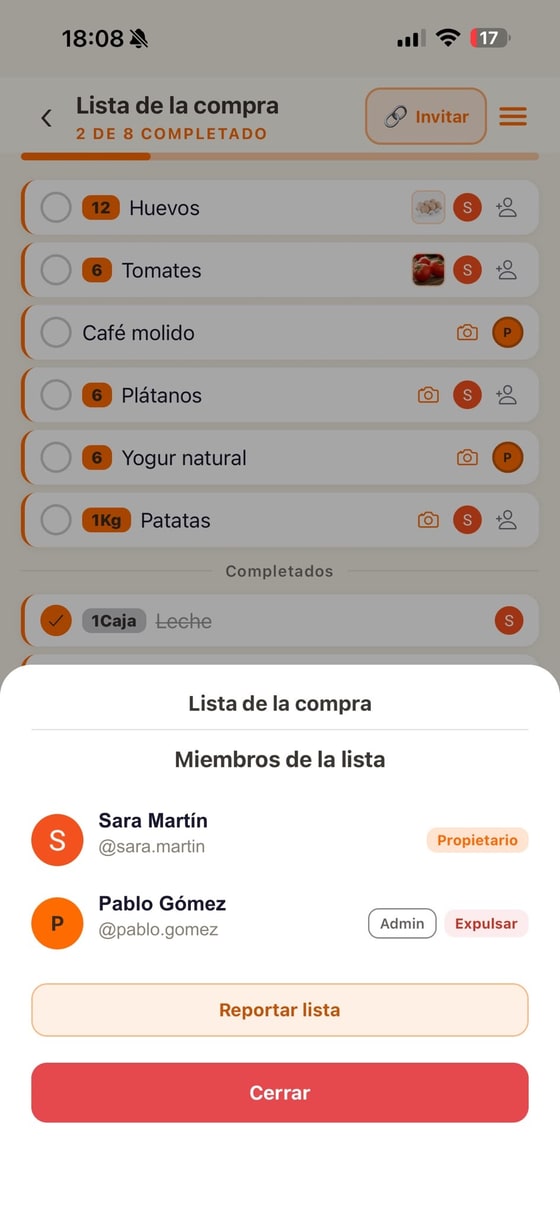
See who collaborates on each list and with which role. The owner decides who can invite or manage the list.
List membersEach person with their role (Owner, Admin, Member). The owner can remove someone, and anyone can report the list or a user.
Section 7
Templates
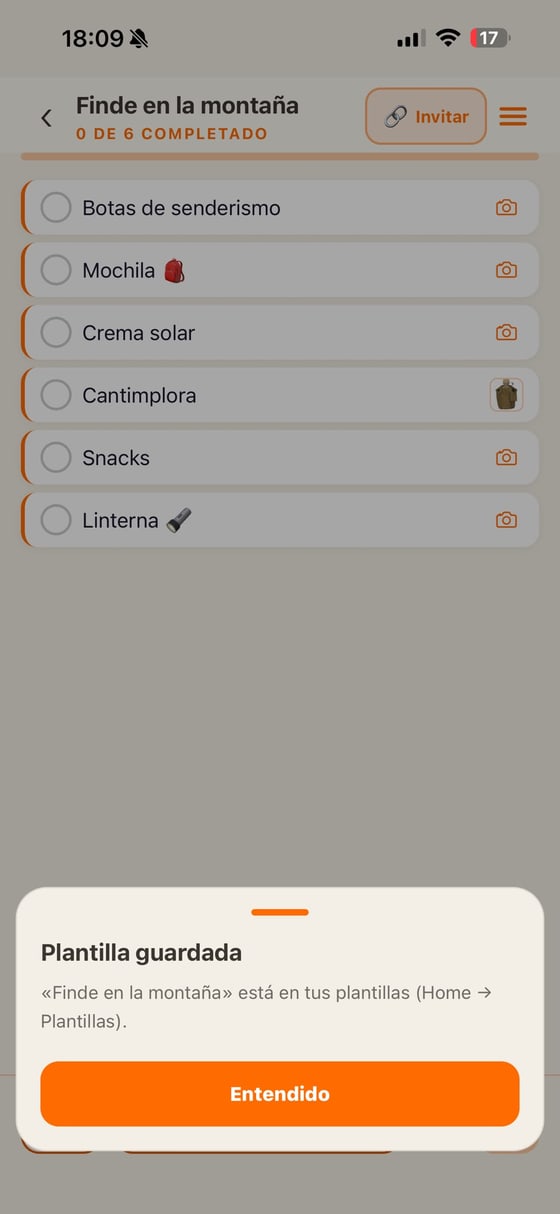
Save a list as a template and create identical new lists in one tap. Perfect for the weekly shop or routines you repeat.
Save as a templateFrom the list menu (☰). Then reuse it in Home → Templates to create an identical list.
Section 8
Voice dictation
Hands full? Dictate items by voice when adding them or searching. Tap the microphone and speak.
Add by voiceTap the microphone next to the "New item" field (or in the search) and say what you want; it appears written.
Section 9
Profile & settings
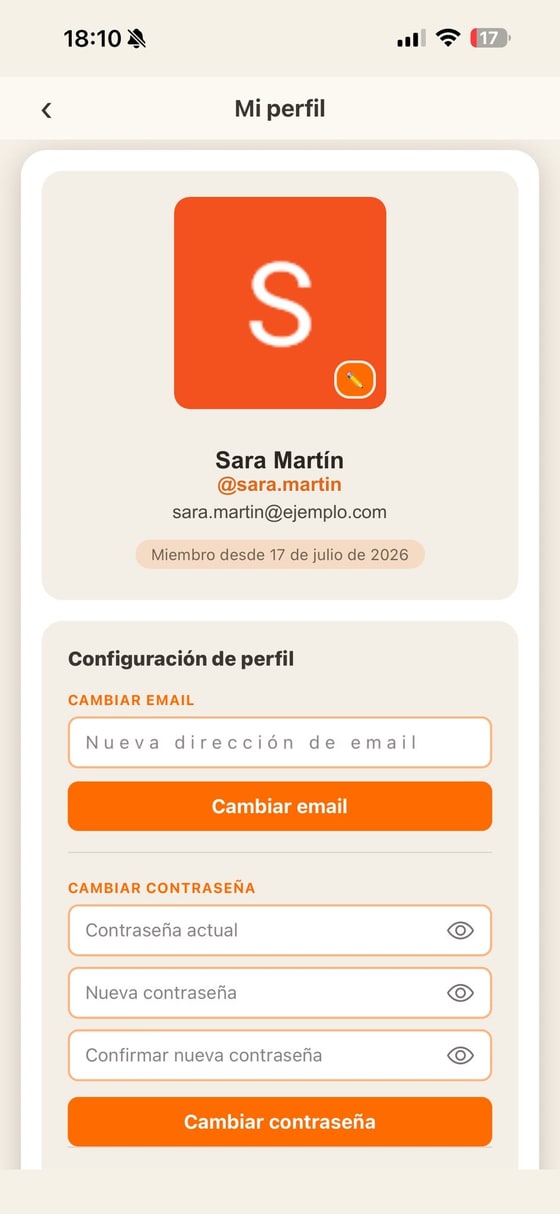
Your photo, your account and the app preferences: notifications, language, theme, legal documents and more.
Your profileChange your photo and manage your account: change email or password.
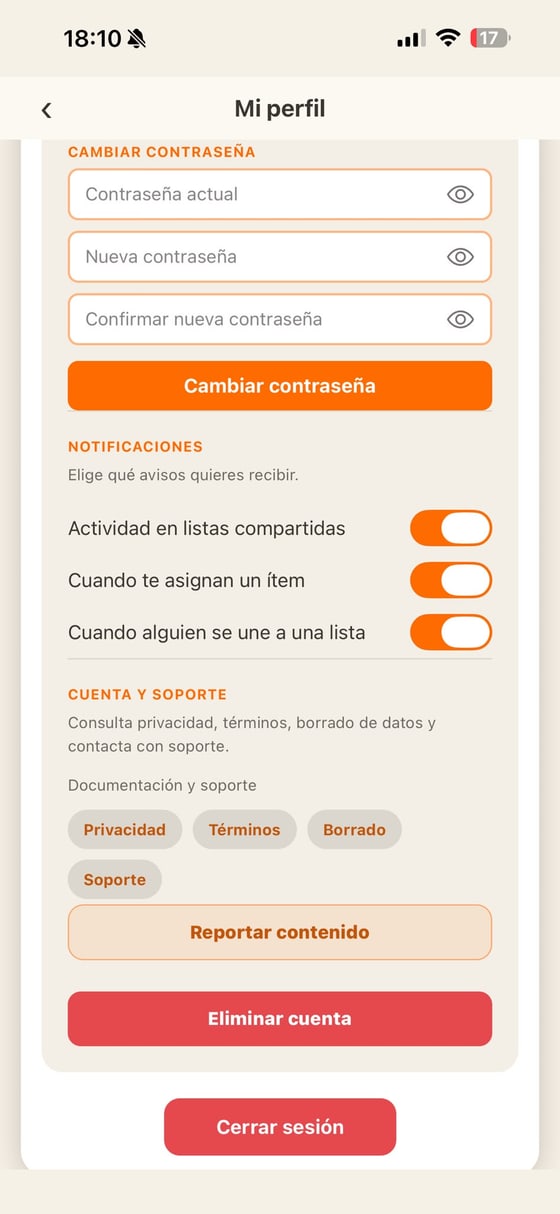
Settings & accountChoose which notifications to receive, check privacy/terms/support, report content, sign out or delete your account (with a short optional survey).
Section 10
Notifications
We let you know when someone joins your list, adds something or assigns you an item. We ask the first time; you can change it whenever you like from your profile and choose exactly which alerts you get.
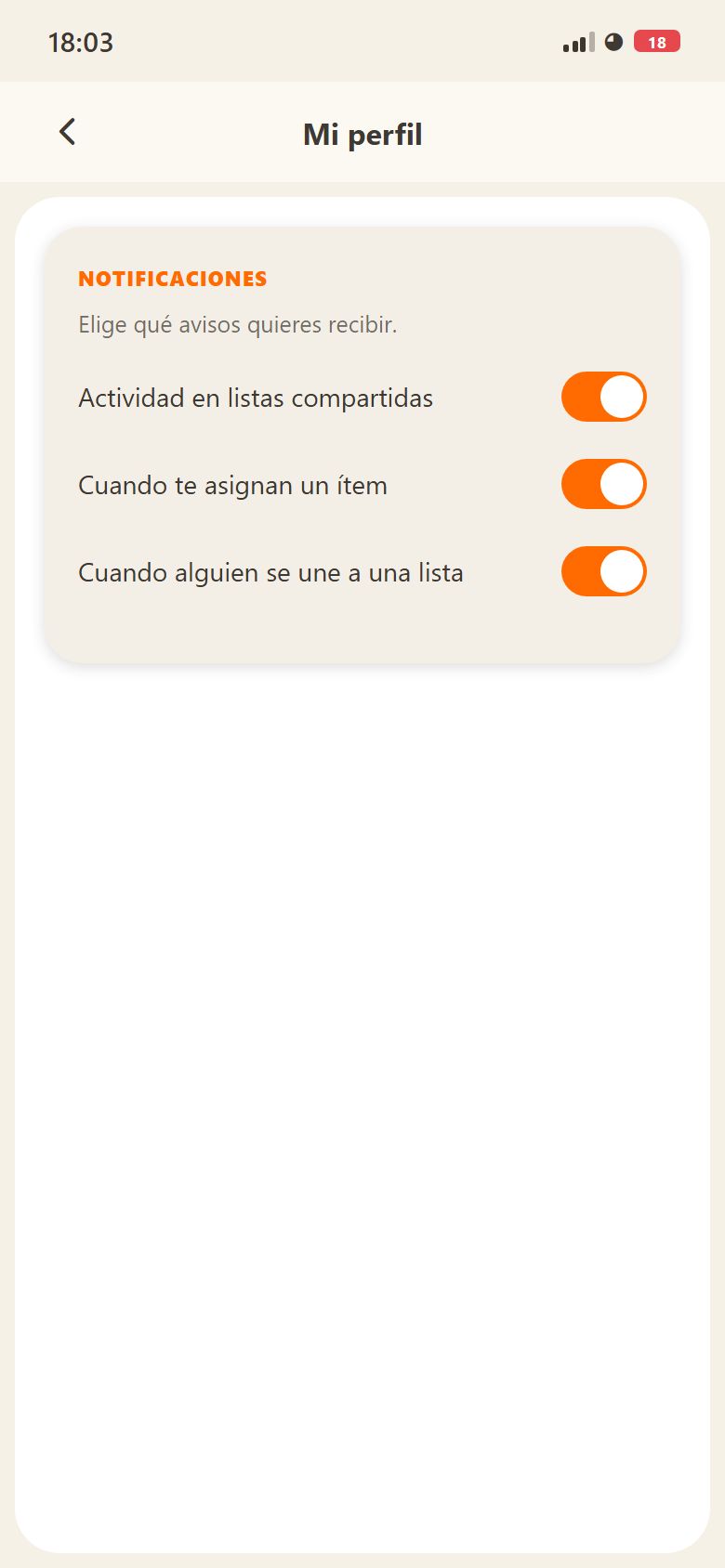
NotificationsChoose which alerts you get: list activity, items assigned to you and who joins.
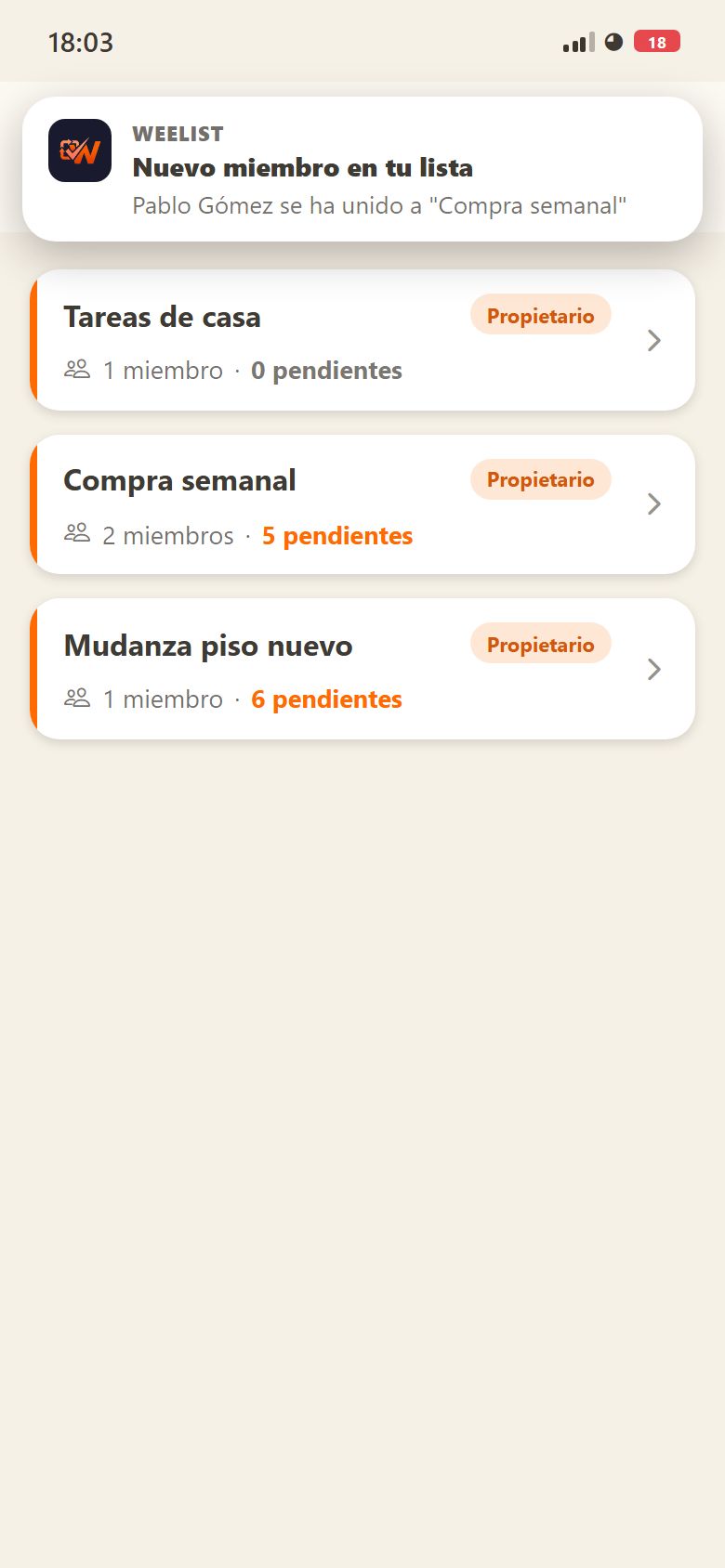
An alert arrivingThis is how it looks on your phone when someone joins one of your lists.
Section 11
Report and block
Lists and names are written by people, so you may come across something that shouldn't be there. Report a list from its menu, or someone from their card in Members; the same dialog lets you block them. We review reports within 24–48 hours, and blocks are managed from your profile.
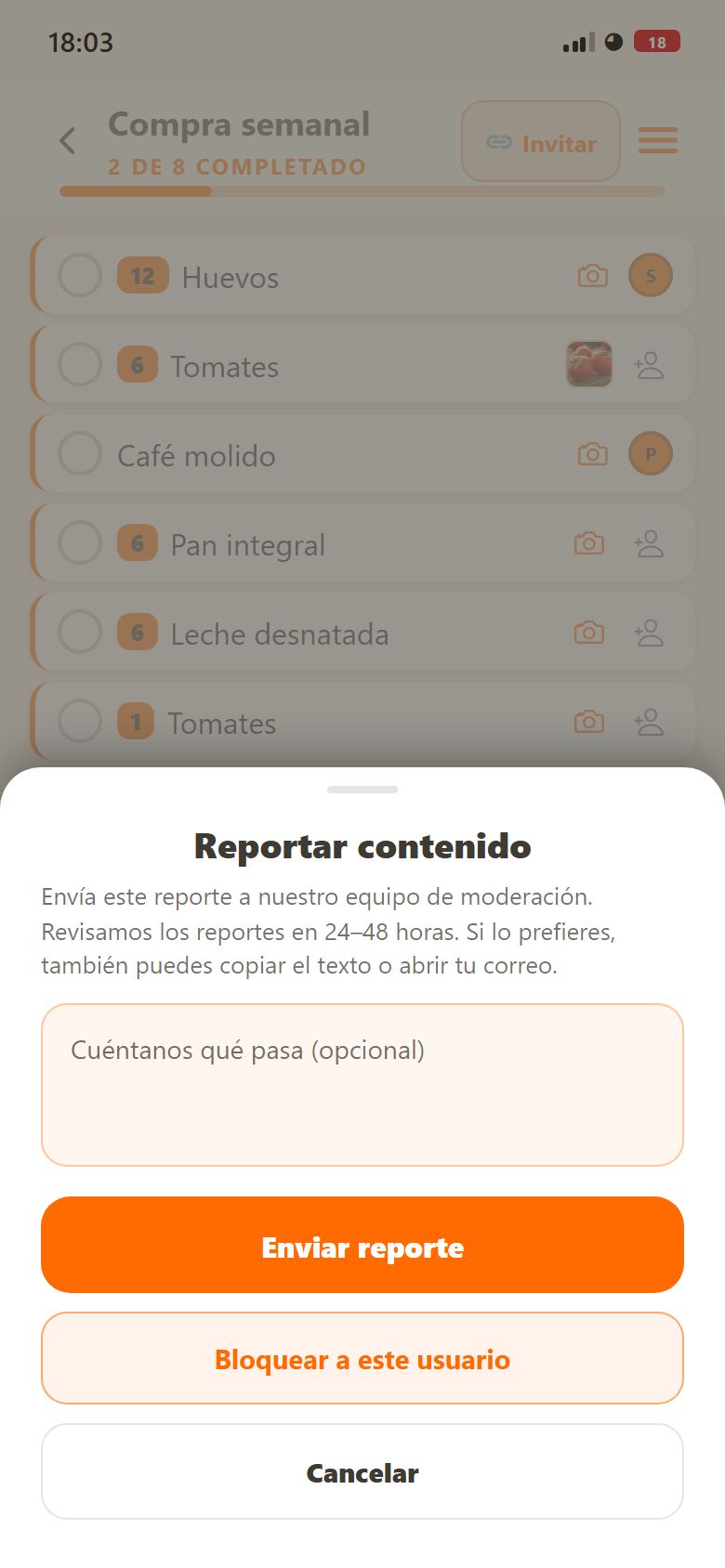
ReportThe report reaches moderation. From the same dialog you can block that person.
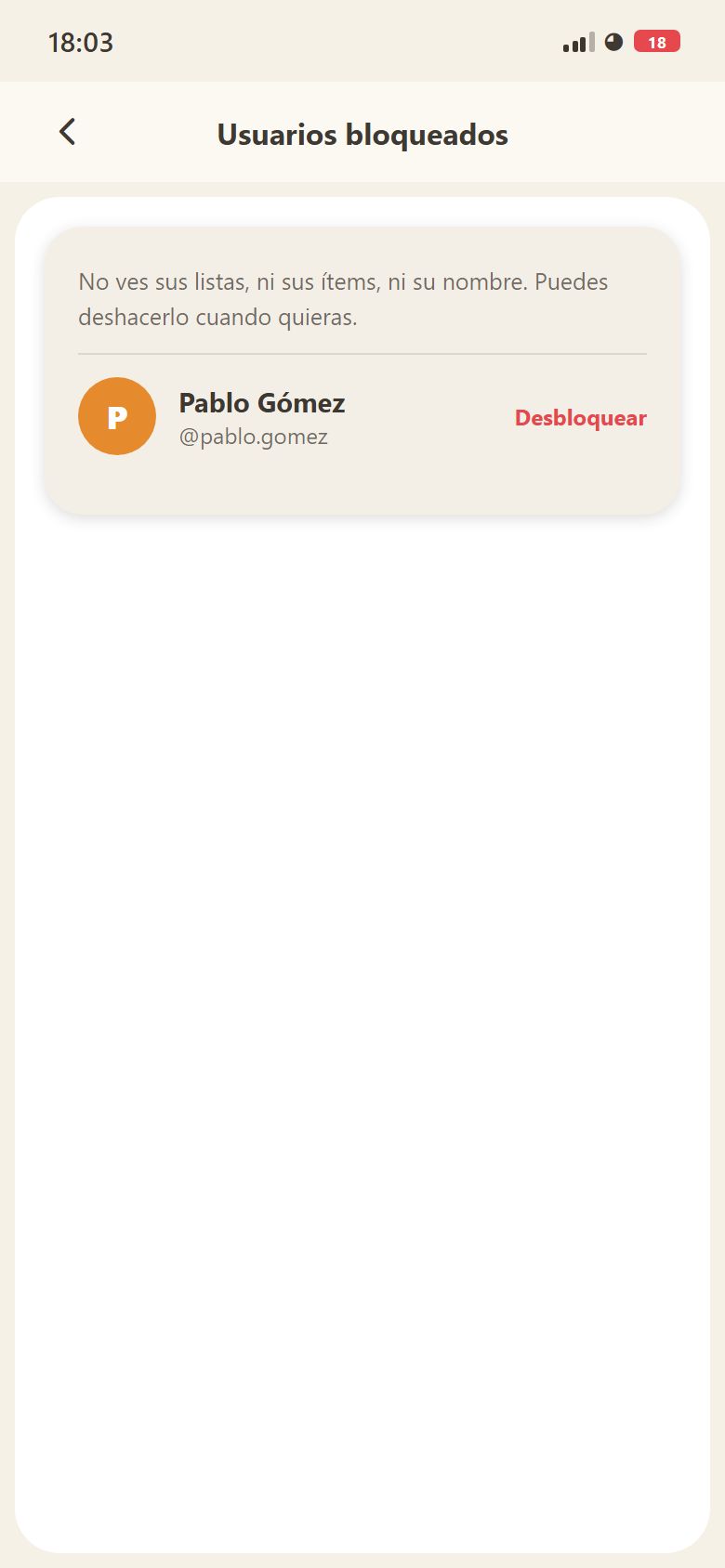
Blocked usersYou stop seeing their lists, their items and their name. You can undo it whenever you like.
Section 12
If something goes wrong
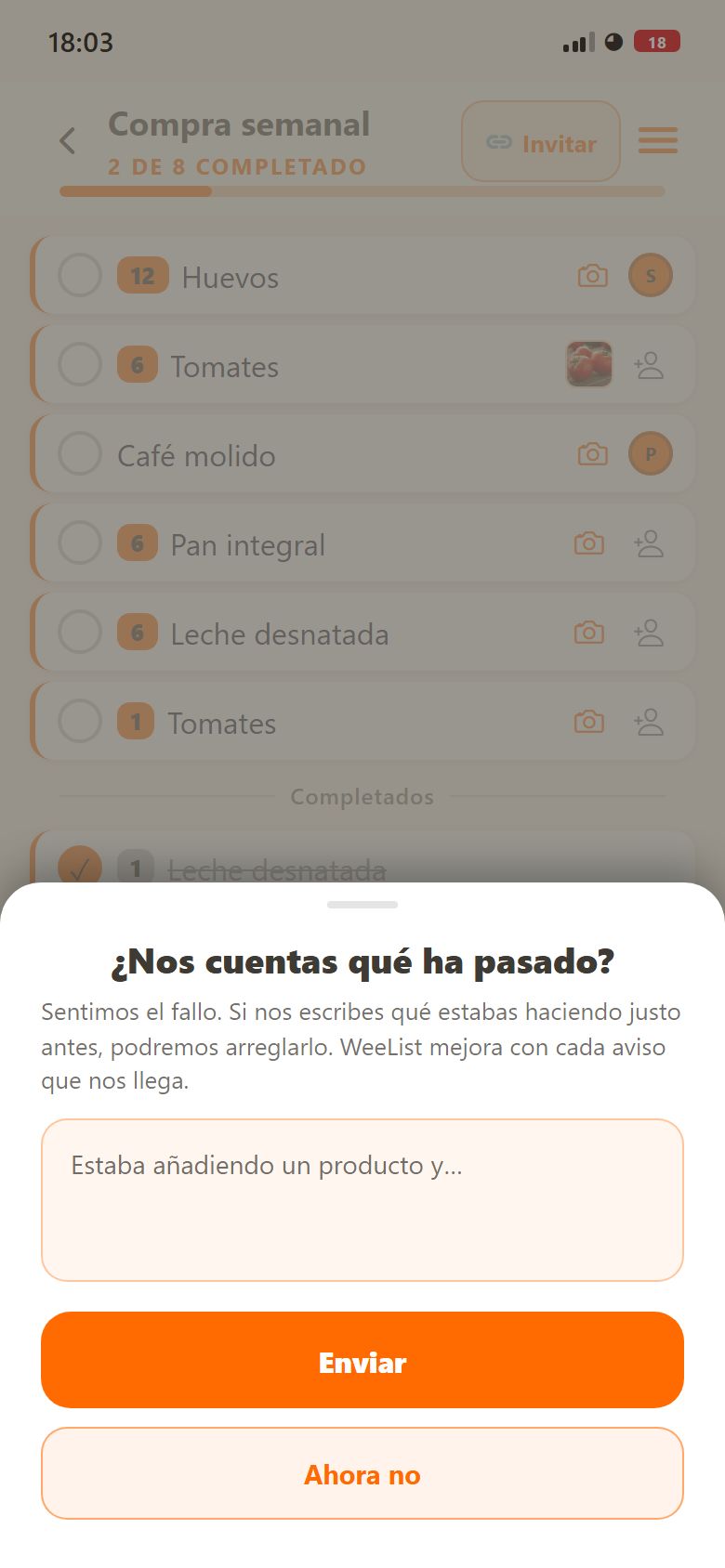
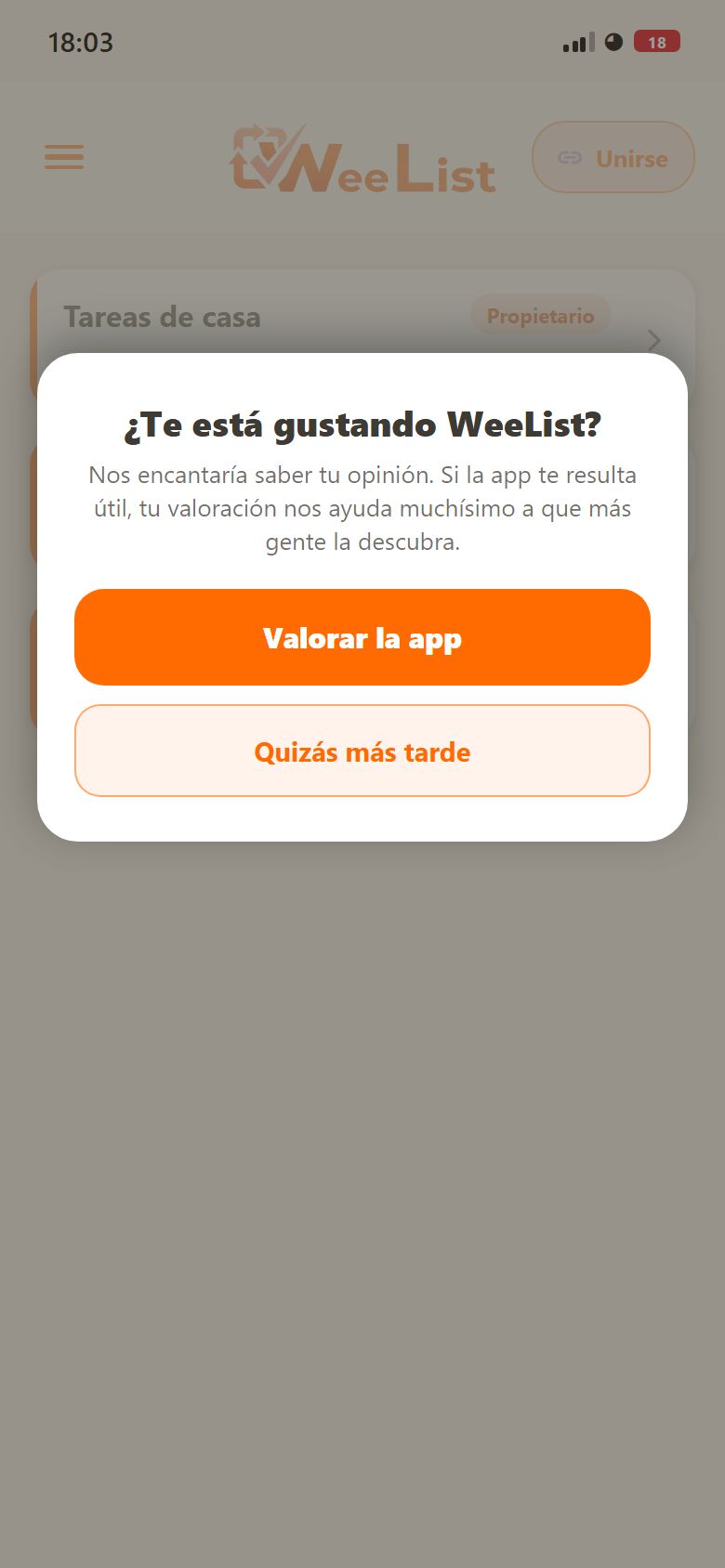
If something fails, the message you see offers to tell us about it: write what you were doing and it reaches us with the technical details. And if you are finding the app useful, now and then we ask whether you would like to rate it; you can say no and we will not ask again on that version.
Reporting a failureWrite what you were doing and it reaches us along with the technical details.
Rate the appIt appears on its own now and then. If you say no, it will not ask again on that version.
Section 13
Your account
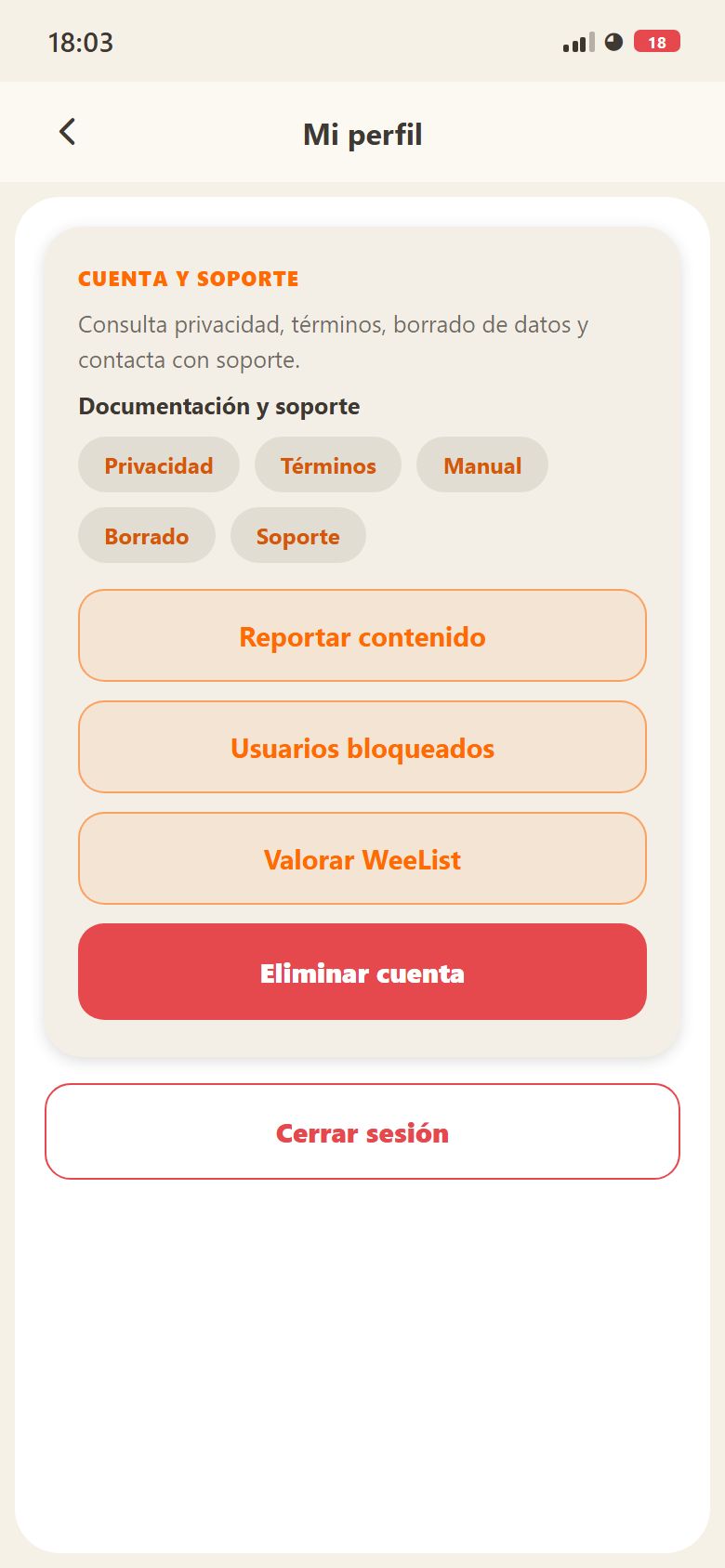
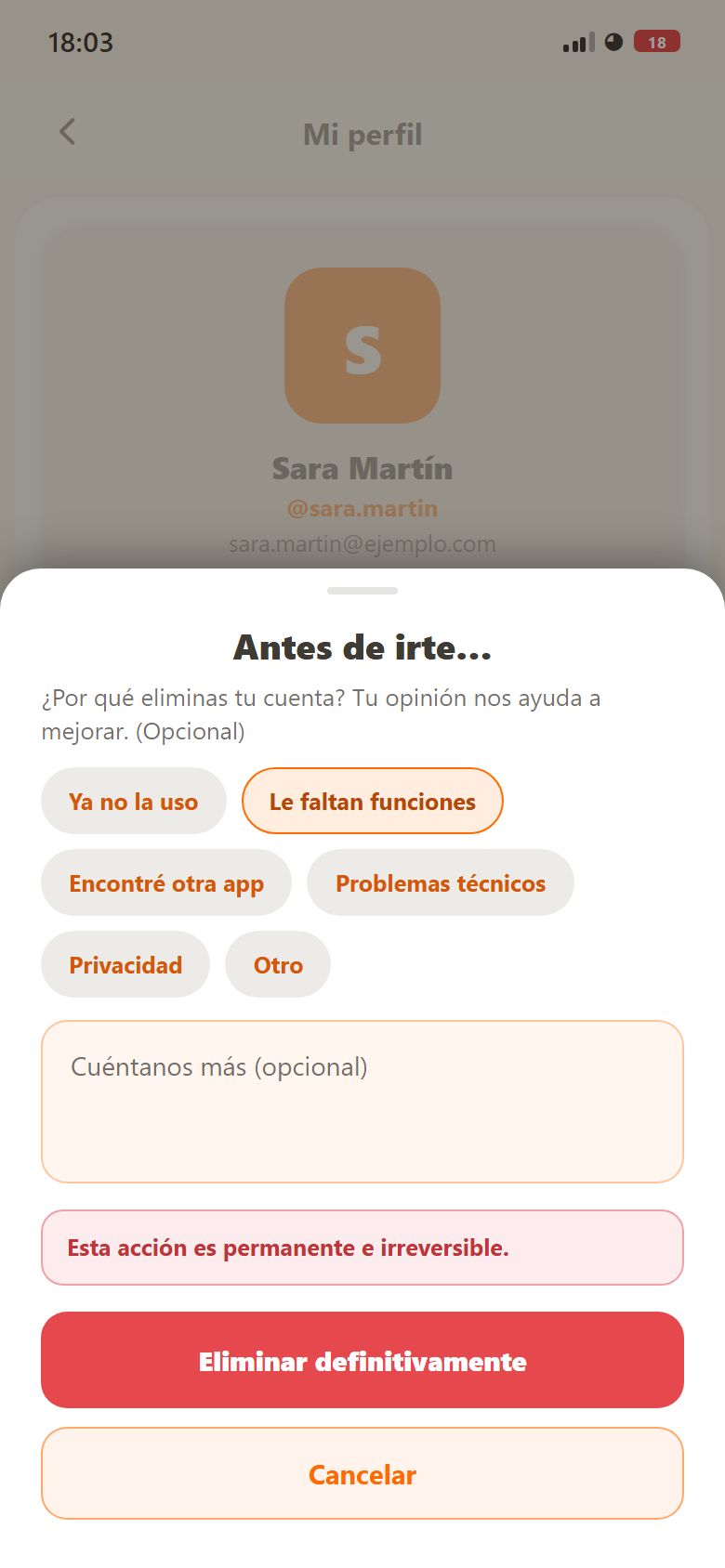
In your profile you change the photo, the name, the email and the password. When you change the email, a link goes to the new address and the change does not apply until you open it. Below are also “Sign out” and “Delete account”: before deleting we ask why you are leaving (you can skip it) and then your account, your lists, your invitations and your notifications go. It is permanent. What you wrote in other people’s lists stays with them.
Your accountLegal documents, support, blocked users, rating, signing out and deleting the account.
Before you goAn optional survey before deleting. The deletion is permanent.